
TL;DR
- AWS (Amazon Web Services) is the world's largest cloud computing platform. You rent computing power, storage, and software over the internet instead of buying and running your own servers. It runs roughly 28% of the global cloud market (Synergy Research, Q1 2026), offers 200-plus services, and is the infrastructure most modern apps quietly run on.
- Founders do not need to operate AWS themselves, but they should understand the basics. AWS pricing is pay-as-you-go (you pay for what you use), which is flexible but can cause surprise bills. A handful of core services (EC2, S3, RDS, Lambda, CloudFront, Route 53, IAM and a few others) cover what most apps need.
- The biggest risks for non-technical founders are bill shock (forgotten resources, no budget alerts), security misconfigurations (publicly exposed S3 buckets remain a top breach cause), and trying to DIY without expertise. The smart move is to learn enough to make good decisions and partner with an AWS-experienced team.
What AWS actually is, in plain English
Amazon Web Services is Amazon's cloud computing division. In its own words, AWS is "the world's most comprehensive and broadly adopted cloud," offering more than 200 services from data centers around the world, per aws.amazon.com.
To run a website, an app, or any software you need computers (called servers) to store your data and do the work. Historically a business had to buy those servers, find somewhere to keep them, power and cool them, secure them, and replace them when they broke or got overloaded. That is expensive, slow, and requires specialised staff.
Cloud computing flips this. Instead of buying and maintaining your own servers, you rent computing power, storage, and software from a provider like AWS, over the internet, and pay only for what you use. Amazon already built massive data centres full of computers to run its own store, then started renting that capacity to everyone else starting in 2006.
The analogy that works best: electricity. You do not build a power plant in your basement to light your office. You plug into the grid and pay for the kilowatt-hours you use. AWS is the grid for computing. A second useful analogy: renting an apartment versus building a house. Renting (cloud) means you move in immediately, the landlord handles the plumbing and the roof, and you can move to a bigger unit when you grow. Building (your own servers) means a huge upfront investment and you fix everything yourself.
Who uses it? Effectively everyone, from one-person startups to the largest enterprises and governments. Publicly named AWS customers include Netflix, Airbnb, Disney, Capital One, NASA, McDonald's, BMW, Pfizer, Samsung, and Coinbase. AWS says it serves customers across 245 countries and territories.
Why founders should care, even if you never touch it
You may never log into the AWS console, but AWS decisions affect your business in four concrete ways:
- Cost. Cloud is usually an operating expense that scales with usage. Done well, you pay little while small and more as you grow. Done badly, the bill can balloon (see pitfalls below).
- Scalability. If your app suddenly gets popular (a press hit, a holiday rush), AWS can add capacity in minutes. Netflix and Airbnb rely on exactly this to handle spiky demand. With your own servers, a traffic spike can take your site down.
- Reliability. AWS runs data centres in clusters designed so that if one fails, others keep your app online. This is far more resilient than a single server in a closet.
- Security and compliance. AWS provides strong infrastructure security and compliance certifications, but how your team configures it determines whether your customer data is safe.
In short, AWS is the foundation your product stands on. You do not need to lay the bricks yourself, but you should understand what the foundation is made of before you hire someone to build on it. AWS's reach is hard to overstate: by W3Techs' measure it is among the largest single web-hosting providers (its share of all websites has been reported in roughly the 4.6% to 6% range across 2025 into 2026, with the live W3Techs reading at about 4.6% in mid-2026), and according to BuiltWith data roughly 36% of the 10,000 most-visited sites run on AWS. The odds are high that products you use every day are running on it.
The same "learn the foundation, hire the construction" logic we apply on the build side in our WordPress vs custom web app guide applies to infrastructure. Pick the platform with eyes open, then bring the right team in.
AWS by the numbers
- Market share: AWS roughly 28% of worldwide cloud infrastructure in Q1 2026, ahead of Microsoft Azure around 21% and Google Cloud around 14% (Synergy Research Group, reported via Statista). An earlier Synergy reading for Q3 2025 put AWS at 29%, Azure 20%, Google 13%. AWS's share has gradually declined from a little over 32% in 2021.
- The "Big Three" together hold roughly 63% of the global cloud infrastructure market (Synergy Research, 2025).
- Revenue: AWS revenue was $37.59 billion in Q1 2026 (quarter ended March 31, 2026), up 28% year over year, with operating income of about $14.2 billion. CEO Andy Jassy: "AWS is growing 28% (our fastest growth in 15 quarters) on a very large base." That puts AWS at a roughly $150 billion annualized run rate, per Amazon Q1 2026 earnings via CNBC.
- Market size: Worldwide cloud infrastructure spending reached $129 billion in Q1 2026 alone, up 35% year over year (Synergy via Statista).
- Services: 200-plus services (AWS official).
- Global infrastructure: 114 Availability Zones across 36 Regions, with plans to add 12 more Availability Zones and 4 more Regions (New Zealand, Saudi Arabia, Taiwan, and the AWS European Sovereign Cloud) per AWS's infrastructure page.
One note on conflicting figures: different analysts report slightly different market-share percentages (commonly 28 to 33% for AWS) because they measure the market differently and round across quarters. The 28 to 30% range from Synergy Research is the most consistently cited recent figure. Treat any single number as approximate.
How AWS pricing really works
Pay-as-you-go. AWS's core pricing model is consumption-based. You pay for what you actually use, billed by the hour, second, gigabyte, request, or query, with no upfront commitment and the ability to stop anytime. You pay for things like compute time (hours a server runs), storage (gigabytes stored per month), and data transfer (gigabytes sent out to the internet).
Why bills get confusing and balloon. The flip side of flexibility is complexity. A single app touches many services, each metered differently, and some charges are easy to overlook:
- Idle or forgotten resources. A server (EC2) or database (RDS) left running 24/7 keeps billing whether or not anyone uses it. A widely cited cautionary tale is freeCodeCamp founder Quincy Larson, who in early 2016 had a cluster of EC2 instances he accidentally left running for several months on a personal account, generating a large surprise bill. The exact dollar figure (often quoted as around $7,000) is not verifiable in primary sources and should be treated as anecdotal. The lesson, not the number, is the point.
- Data transfer (egress). Data coming into AWS is generally free, but data going out to the internet costs money (around $0.09 per GB for the first chunk in many regions). Traffic between Availability Zones can also be charged.
- "Zombie" resources. Unattached storage volumes, idle IP addresses, and old snapshots quietly accrue charges.
- Free Tier misunderstanding. People assume "free" is unlimited or permanent and get surprised when limits are exceeded.
The Free Tier was overhauled in 2025. Per AWS's July 15, 2025 announcement, new accounts now get up to $200 in credits ($100 automatically at sign-up plus up to $100 more in $20 increments for completing five hands-on tasks: launching an EC2 instance, configuring an RDS database, building a Lambda function, prompting Amazon Bedrock, and setting a budget in AWS Budgets). You choose a free plan (no charges until you upgrade, expires after 6 months or when credits run out) or a paid plan (standard pay-as-you-go, also eligible for the credits). 30-plus services remain "always free" within monthly limits (for example, AWS Lambda's 1 million free requests a month). Accounts created before July 15, 2025 keep the legacy Free Tier (12-month trials plus always-free services).
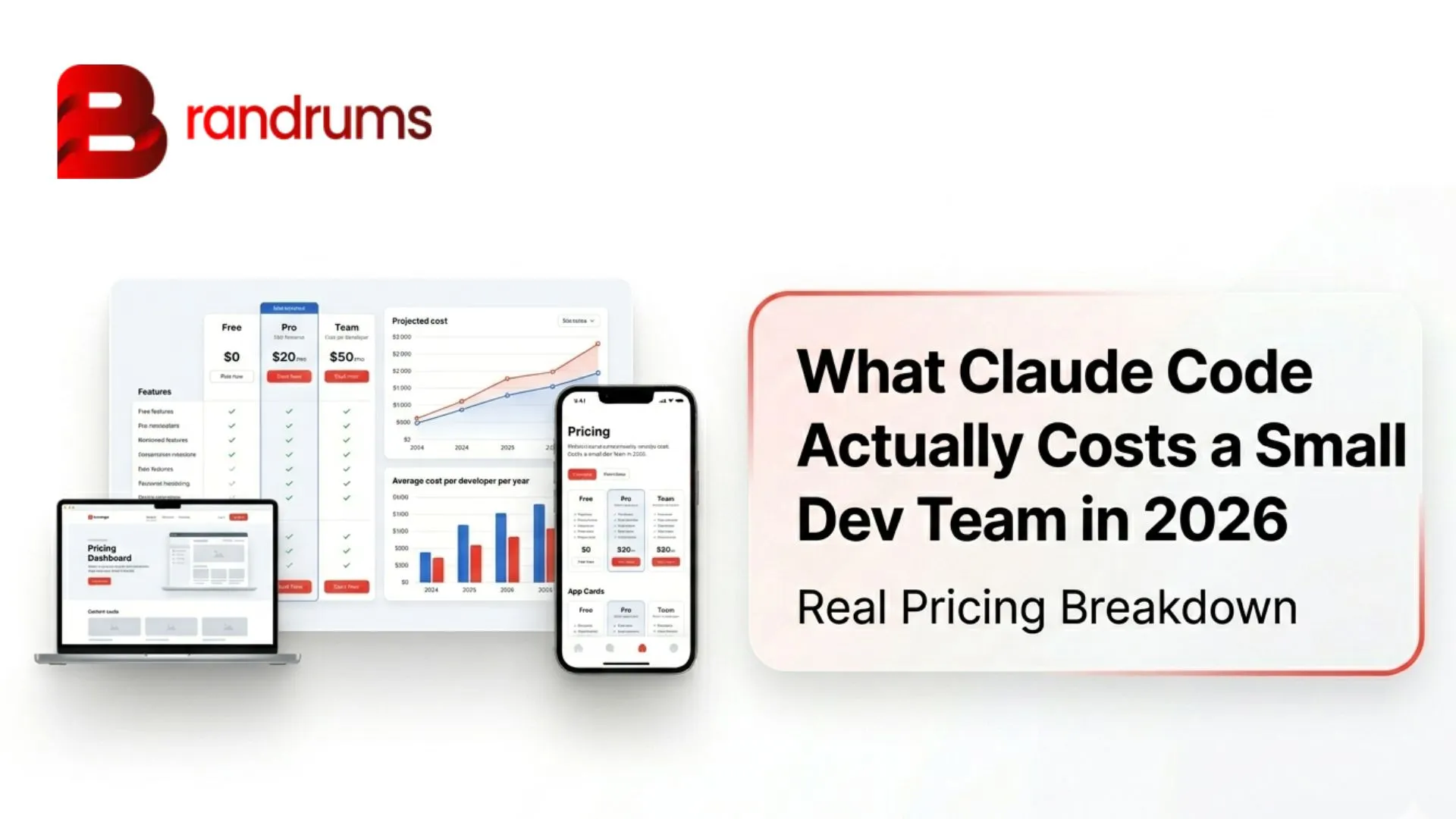
The single most important habit: set up billing alerts and a budget on day one (AWS Budgets). This is free, takes minutes, and is the best defence against bill shock. The cost discipline carries over from the tooling spend we covered in our Claude Code small-team pricing piece: small alerts at sane thresholds make uncapped spend impossible.
The core services in plain English
You will hear dozens of names, but a manageable handful covers most apps. Here they are, grouped by what they do.
Compute: the "engines" that run your code
Amazon EC2 (Elastic Compute Cloud): rented computers in the cloud. EC2 gives you virtual servers ("instances") that you rent by the hour or second. Analogy: renting a computer in Amazon's data centre that you can turn on, resize, and turn off whenever you want. Founder's note: the flexible workhorse for running almost anything. It bills as long as it runs, so idle instances waste money. A small Linux instance like a t3.micro (2 vCPUs, 1 GiB memory) lists at about $0.0104 an hour in US East (roughly $7.59 a month if run nonstop). An ARM-based t4g.nano can be as low as about $0.0042 an hour. New accounts get 750 hours a month free for the first year on the legacy tier, enough to run one small instance around the clock. See EC2 on-demand pricing for current rates.
AWS Lambda: run code without managing any server ("serverless"). With Lambda you upload a small piece of code (a "function") and AWS runs it on demand, only when triggered. You pay only for the milliseconds it runs. Analogy: instead of leaving a car idling in your driveway all day (EC2), Lambda is a taxi that appears, drives, and vanishes, and you pay only for the trip. Founder's note: great for cost efficiency and automatic scaling for spiky or occasional tasks. Lambda pricing includes 1 million free requests a month, and the allowance does not expire.
Containers: ECS, EKS, and Fargate. Containers are a way to package an app so it runs the same everywhere. AWS offers two orchestrators that manage containers: ECS (Amazon's simpler, AWS-native option) and EKS (managed Kubernetes, more powerful and portable but more complex). Fargate is the serverless way to run either one, so you do not manage the underlying servers. Founder's note: you do not need to choose this yourself. Just know that "we're using containers on ECS or EKS or Fargate" means a modern, scalable way to run your app. Start simple (ECS plus Fargate) and graduate to EKS only if you need Kubernetes.
Storage: where your files and data live
Amazon S3 (Simple Storage Service): virtually unlimited file storage. S3 stores "objects" (files: images, videos, backups, documents) in containers called "buckets." Analogy: an infinite hard drive in the cloud, or "Dropbox for your app." Founder's note: cheap, durable, and where your app's user uploads and media usually live. Standard storage runs about $0.023 per GB per month (see S3 pricing). Important: S3 buckets are private by default, and accidentally making one public is a leading cause of data breaches (more on this below).
Amazon EBS (Elastic Block Store): the hard drive attached to an EC2 server. EBS is persistent disk storage that attaches to an EC2 instance. Analogy: the internal hard drive of your rented computer, separate from S3 (which is more like external file storage). Founder's note: EBS volumes keep billing even after you shut down the server they were attached to, a common source of zombie charges.
Databases: the organised memory of your app
Amazon RDS (Relational Database Service): managed traditional databases. RDS runs and maintains relational databases (PostgreSQL, MySQL, and others) for you. Backups, patching, and failover are handled. Analogy: hiring a managed service to run your filing system so you do not have to maintain the cabinets yourself. Founder's note: relational databases store structured data (users, orders, payments) in tables. RDS saves your team from the heavy lifting of database administration.
Amazon DynamoDB: managed NoSQL database for scale and speed. DynamoDB is a NoSQL database built for massive scale and consistent millisecond speed. Analogy: a giant, ultra-fast lookup table that handles huge traffic without slowing down. Founder's note: popular for apps that need to scale to millions of users. It has an always-free allowance.
Networking: how users reach your app and how parts talk to each other
Amazon Route 53: the internet's address book (DNS) for your domain. Route 53 is AWS's DNS service. It translates your human-friendly domain name (yourcompany.com) into the numeric addresses computers use, and routes visitors to your app. Analogy: the phone book or GPS of the internet that directs people to the right destination. Founder's note: about $0.50 a month per hosted domain plus a small fee per query. You can also register domains through it.
Amazon CloudFront: content delivery network (CDN) that makes sites fast worldwide. CloudFront stores copies of your content (images, videos, pages) at "edge locations" around the world so users download from a nearby server. Analogy: instead of shipping every order from one warehouse, you keep stock in local warehouses near customers so delivery is faster. Founder's note: speeds up your site globally and can also reduce S3 data-transfer costs. The SEO and performance angle is the same one we cover in our Next.js vs WordPress SEO guide: faster delivery to real users helps Core Web Vitals.
Amazon VPC (Virtual Private Cloud): your private, walled-off network in the cloud. A VPC is your own isolated network section within AWS where your servers and databases live, with control over what is public and what is private. Analogy: your own gated, fenced-off section of the data centre. Founder's note: keeps your internal systems separated from the public internet for security.
Security and access
AWS IAM (Identity and Access Management): who is allowed to do what. IAM controls which people and which services can access which resources, and what actions they can take. Analogy: the keycard system for your building, where each person's badge opens only the doors they are permitted to use. Founder's note: misconfigured permissions are a major security risk. "Least privilege" (give each person and service only the access they need) is the golden rule.
Messaging and notifications
Amazon SES, SNS, and SQS: email, notifications, and message queues.
- SES (Simple Email Service): sends bulk and transactional emails (password resets, receipts). Analogy: your app's post office.
- SNS (Simple Notification Service): sends push notifications, texts, and alerts to many subscribers at once. Analogy: a broadcast or PA system.
- SQS (Simple Queue Service): holds messages in a line so different parts of your app can process work reliably without overload. Analogy: a ticketed deli counter that keeps orders in order even during a rush.
Founder's note: these glue services make apps reliable and decoupled. You will see them in most real systems.
Monitoring
Amazon CloudWatch: the dashboard and alarm system. CloudWatch collects metrics and logs and can alert you when something is wrong (a server is overloaded, errors spike). Analogy: the dashboard and warning lights in your car. Founder's note: essential for catching problems early, and it can also trigger billing alarms. Its own pricing can creep up if logging is left unmanaged.
Easier ways to deploy (good for small teams and early stage)
Amazon Lightsail: the simple, fixed-price option for small businesses. Lightsail bundles a server, storage, and data transfer into one predictable monthly price, starting at $5 a month (or $3.50 for an IPv6-only Linux plan), per Lightsail pricing. Analogy: a flat-rate phone plan instead of metered billing. Founder's note: often the best AWS entry point for a simple website, WordPress site, or small app because the bill is predictable. You can graduate to EC2 later. Note: stopping a Lightsail instance does not stop the charges. You must delete it.
AWS Elastic Beanstalk and AWS Amplify: managed deployment.
- Elastic Beanstalk: you hand AWS your application code and it provisions and manages the underlying servers, scaling, and load balancing for you.
- Amplify: a toolset for quickly building and hosting web and mobile app front ends and their back ends.
Founder's note: both lower the expertise needed to get an app live, though you still pay for the resources they spin up behind the scenes.
Artificial intelligence
Amazon Bedrock: the easy button for generative AI. Bedrock is a fully managed service that lets your app use leading AI "foundation models" (including Anthropic's Claude, Meta's Llama, and Amazon's own models) through a single API, without managing any AI infrastructure. Analogy: a streaming service for AI models. Subscribe and use the best model for each job rather than building your own. Founder's note: highly relevant given the AI boom. On Amazon's Q1 2026 earnings call, CEO Andy Jassy said Bedrock "saw 170% growth in customer spend quarter-over-quarter, and processed more tokens in Q1 than all prior years combined," and noted that nearly 80% of Fortune 100 companies use it. We dig into how to choose models on top of services like this in our AI agents in mobile apps 2026 guide.
How the services snap together: a simple app walkthrough
Imagine a customer opens your mobile app to browse and place an order. Here is what happens behind the scenes, in plain English:
- Route 53 acts as the address book: it translates your domain name into the right destination and directs the customer's request to your app.
- CloudFront serves images and static content from a nearby edge location, so the app loads fast no matter where the customer is.
- The request lands in your private network, the VPC, which keeps your internal systems walled off from the public internet.
- EC2 (a running server) or Lambda (on-demand code) executes the business logic, deciding what to show and processing the order.
- RDS stores the structured data (the customer's account, the order details). DynamoDB might handle high-speed lookups like the product catalogue.
- S3 holds the files: product images, uploaded photos, receipts.
- SES emails the order confirmation. SNS might push a notification. SQS queues the order for the fulfilment system so nothing is lost during a rush.
- IAM quietly enforces that each part of the system can only touch what it is permitted to.
- CloudWatch watches the whole thing, logging activity and alerting your team if errors spike or a server is overloaded.
No single service "is" your app. They snap together like LEGO bricks. That modularity is exactly why AWS is powerful and why it can feel overwhelming.
AWS vs alternatives, fairly
The other two giants:
- Microsoft Azure (about 21% market share) is especially common in enterprises already invested in Microsoft products (Windows, Office, Active Directory).
- Google Cloud (about 14%) is strong in data analytics, machine learning, and Kubernetes.
All three are excellent and broadly comparable for most needs. The right choice often depends on your team's existing skills and ecosystem.
Simpler alternatives founders often hear about:
- DigitalOcean: simpler, more predictable flat pricing. Popular with small teams and developers who want less complexity.
- Vercel: excellent for front ends and Next.js sites with deploy-from-Git simplicity (note: Vercel itself runs on AWS).
- Heroku: pioneered the ultra-simple "git push to deploy" model. Easy but can get expensive as you scale, and it has faced reliability complaints.
- Render: a modern, balanced Heroku alternative with transparent pricing.
For a simple website, marketing site, MVP, or early prototype, a simpler platform (or AWS Lightsail) is often faster, cheaper, and less risky. AWS becomes the right call when you need deep scalability, a broad menu of specialised services, fine-grained control, strict compliance, or a global footprint. Many startups sensibly start simple and grow into full AWS as their needs mature. It is also common to mix: front end on Vercel, heavy back end on AWS. The same "start light, graduate when it earns the cost" pattern shows up in our MVP vs full product strategy guide and SaaS validation playbook.
Common mistakes and pitfalls for non-technical founders
- No budget or billing alerts. The number-one preventable mistake. Set an AWS Budget and billing alarm immediately. Per AWS's own Free Tier page, completing this is one of the credit-earning tasks for new accounts.
- Leaving resources running. Idle EC2 instances, RDS databases, and Lightsail servers bill around the clock. Stopping some resources is not enough. You may need to delete them, and stopped Lightsail and RDS resources can still charge.
- Over-provisioning "just in case." Buying bigger servers than you need is a classic cloud waste pattern.
- Ignoring data-transfer costs. Outbound data and cross-zone traffic are easy-to-miss charges that can dominate a surprise bill.
- Misusing the Free Tier. Assuming "free" means unlimited or permanent leads to unexpected charges when limits lapse.
- Security misconfigurations, especially public S3 buckets. This is the big one. Under AWS's "shared responsibility model," AWS secures the infrastructure but you are responsible for configuring your resources correctly. Publicly exposed S3 buckets have caused many high-profile breaches. The 2019 Capital One breach is the textbook case: per Capital One's July 29, 2019 SEC filing, the event "affected approximately 100 million individuals in the United States and approximately 6 million in Canada," exposing roughly 140,000 Social Security numbers and 80,000 linked bank account numbers. The attacker, a former AWS engineer, exploited a misconfigured web application firewall. Research consistently shows misconfigurations, not exotic hacks, drive the majority of cloud data exposures, which is why Gartner has famously projected that "99 percent of cloud security failures will be the customer's fault through 2025" (Gartner analyst Neil MacDonald).
- Trying to DIY without expertise. AWS is powerful but unforgiving of mistakes that affect cost and security. Configuring it casually is how founders end up with both surprise bills and exposed data.
Do you need to learn this yourself?
No, you do not need to become an AWS expert. As a founder, your job is not to configure servers. It is to make good decisions and hire the right help.
You should understand the basics in this article well enough to:
- Ask informed questions ("Do we have billing alerts? Are our S3 buckets private? Are we over-provisioned?").
- Sanity-check your cloud bill and understand what is driving it.
- Evaluate whether a vendor or hire actually knows what they are doing. The procurement discipline in our web app design contract questions guide applies equally to infrastructure work.
- Make architecture-level choices (start simple vs build for scale) with eyes open.
AWS rewards expertise and punishes guesswork, in dollars and in security incidents. The most cost-effective path for most founders is to learn the concepts (you just did) and partner with an experienced AWS team to design, deploy, secure, and optimise your infrastructure, so you can focus on your product and customers. That is precisely the kind of work we handle through website development and app design and development retainers: setting up your AWS environment correctly the first time, locking down security, putting cost controls in place, and scaling it as you grow. For cost framing across the build alongside the infrastructure bill, our USA custom development cost guide and Malta developer hiring guide set realistic bands.
How Brandrums recommends approaching AWS
Step 1: set up cost guardrails on day one. The moment you (or your team) open an AWS account, create an AWS Budget and a billing alarm at a threshold you can stomach (for example, alert at $50 and $200). This single step prevents the most common founder horror story. Benchmark to change course: if you cannot see, in under five minutes, what your current month's spend is and what is driving it, your cost setup is not adequate.
Step 2: start simple, scale deliberately. If you are pre-launch or running a simple site or MVP, begin with a predictable option (Lightsail's fixed pricing, or a simpler platform like Render or DigitalOcean). Move to full EC2, RDS, and Lambda architecture only when you have real scale, compliance, or feature needs. Threshold to graduate: sustained traffic growth, a need for services Lightsail does not offer, or compliance requirements.
Step 3: lock down security immediately. Confirm three things with whoever runs your AWS: (a) all S3 buckets are private unless explicitly meant to be public, (b) IAM follows least-privilege access, and (c) no credentials are hard-coded in your app. Public S3 exposure and over-permissive access are the breaches that make headlines. The same principles we explore for AI systems in our audit-ready AI agents guide apply here: least privilege, traced access, no shortcuts.
Step 4: do not DIY your production infrastructure. Use the Free Tier to learn and prototype, but for anything holding customer data or revenue, engage an experienced AWS partner to architect, secure, and cost-optimise it. The cost of expert setup is almost always less than the cost of one bill-shock incident or one data breach.
Step 5: review monthly. Put a recurring 30-minute monthly review on the calendar. Check the bill in Cost Explorer, kill idle and zombie resources, and confirm alerts still fire. Trigger to act: any month-over-month jump you cannot immediately explain.
Key takeaways
- AWS is the foundation most modern apps run on. You do not need to operate it yourself, but you do need to understand the basics to hire well.
- The core services that cover most apps: EC2 and Lambda (compute), S3 and EBS (storage), RDS and DynamoDB (databases), Route 53, CloudFront, and VPC (networking), IAM (access), CloudWatch (monitoring), SES, SNS, and SQS (messaging), Bedrock (AI), Lightsail and Beanstalk and Amplify (easy deploy paths).
- The biggest founder risks are bill shock and security misconfigurations. Both are prevented by 10 minutes of setup on day one (budgets, alarms, private buckets, least-privilege IAM).
- Start simple. Lightsail or a Heroku-style platform is often the right answer for early stage. Move to full AWS when you have a reason to.
- Under the shared responsibility model, AWS secures the platform; you are on the hook for what you configure on it.
FAQ
What is AWS in one sentence?
AWS is Amazon's cloud computing platform that rents computing power, storage, and software over the internet on a pay-as-you-go basis, with 200-plus services from data centres around the world.
Is AWS the same as the cloud?
No. "The cloud" is the general concept of renting computing over the internet. AWS is one provider (the largest), alongside Microsoft Azure, Google Cloud, and others.
Do I have to learn AWS to run a startup?
No. You should understand the core concepts (covered above) so you can ask the right questions and make good architecture decisions, but the day-to-day operation can and usually should be handled by an experienced team or partner.
How much does AWS cost for a small startup?
It depends on what you build, but a typical early-stage app can run anywhere from a few dollars a month (Lightsail, Lambda, a small S3 bucket) into the low hundreds as you add database and traffic. The unpredictable part is data transfer and idle resources, which is why budgets and alarms are essential. New accounts on or after July 15, 2025 get up to $200 in credits to start.
What is the AWS shared responsibility model?
AWS secures the underlying cloud infrastructure (data centres, hardware, foundational services). You are responsible for what you put on top: how you configure your resources, who has access, and whether your data is private. Most cloud breaches happen on the customer side of this line, not the AWS side.
Is AWS overkill for a simple website?
Often, yes. For a basic marketing site or MVP, a simpler platform (DigitalOcean, Render, Vercel) or AWS Lightsail's fixed pricing is usually faster and cheaper. Move to the full AWS stack when you have specific needs (scale, compliance, specialised services) that justify the complexity.
Why do AWS bills sometimes explode?
Three usual causes: forgotten resources running 24/7, surprise data-transfer charges (egress), and Free Tier limits being exceeded without anyone noticing. All three are prevented by AWS Budgets, alarms, and a monthly review.
Ready to set up AWS the right way?
Most founder horror stories about AWS are not really about AWS. They are about an account that nobody owns, a bucket nobody checked, and a budget nobody set. We help clients stand up AWS environments correctly the first time, with budgets and alarms wired on day one, S3 and IAM locked down, and a clear handoff to your team. Same discipline we bring to website development, app design and development, and digital marketing retainers. Tell us your stack and stage and we will recommend a setup that fits. Or check our pricing options if you are scoping engineering support alongside the infrastructure spend.